

HPC @ Charite
The VRE platform provides access to the Charite High-Performance Computing (HPC) cluster to support researchers to execute batch processing of research jobs.
How to connect to the HPC Submission Node
The HPC Submission Node is the environment to submit and track HPC jobs. To connect to the HPC Submission Node, follow the steps below:
- Log in to a VRE Guacamole Virtual Machine that is linked to the Project from which you would like to submit an HPC job.
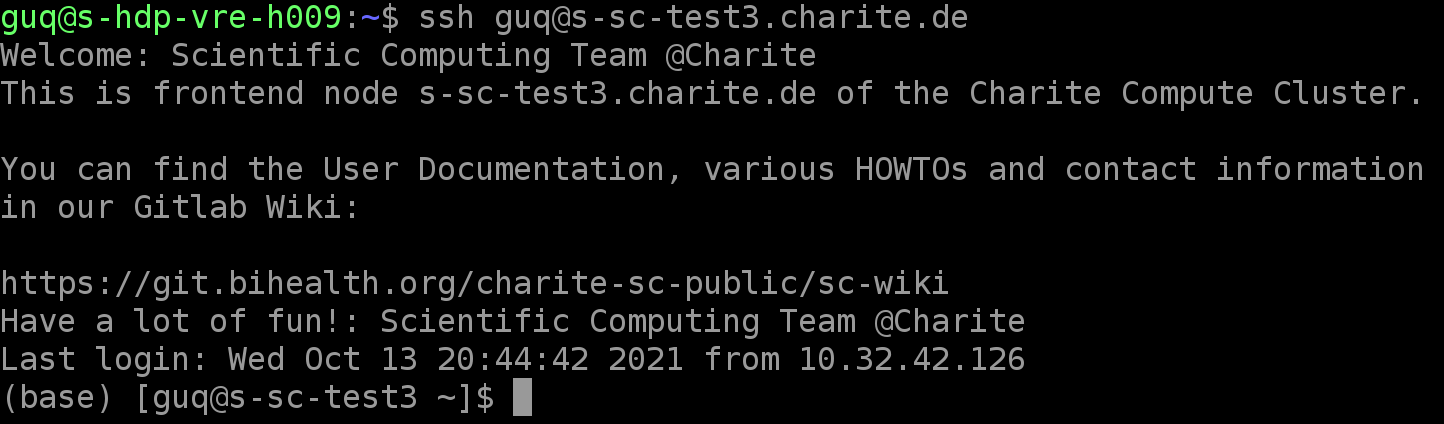
- Within the Guacamole VM terminal, connect to the HPC Submission Node through SSH by executing the following command, where $username is to be replaced by your VRE username: ssh $username@s-sc-frontend1.charite.de.
- Upon execution, you will be prompted with a Welcome message, confirming successful login to the HPC Submission Node.
Example:
Connect to HPC by VRE Command Line Tool
Features within VRE Command Line Tool will be rolling out to support VRE users login to HPC, and submit/monitor HPC jobs via VRE Command Line Tool.
HPC Gateway
Coming soon: The HPC Gateway will allow VRE users to seamlessly login to HPC @ Charite and submit jobs through the VRE Command Line Tool, monitor job status, and then retrieve the results back to VRE storage. Please check back for future updates or contact VRE support for more information.

Copyright © 2022, Indoc Research. This work is licensed under a Creative Commons Attribution-ShareAlike 4.0 International License.