

2.4 Finding Projects in the VRE
Last modified by publicadmin on 2025/12/16 13:04
The Landing Page is the first page shown after login. From here, you can browse basic information about Projects in the VRE and access your Project.
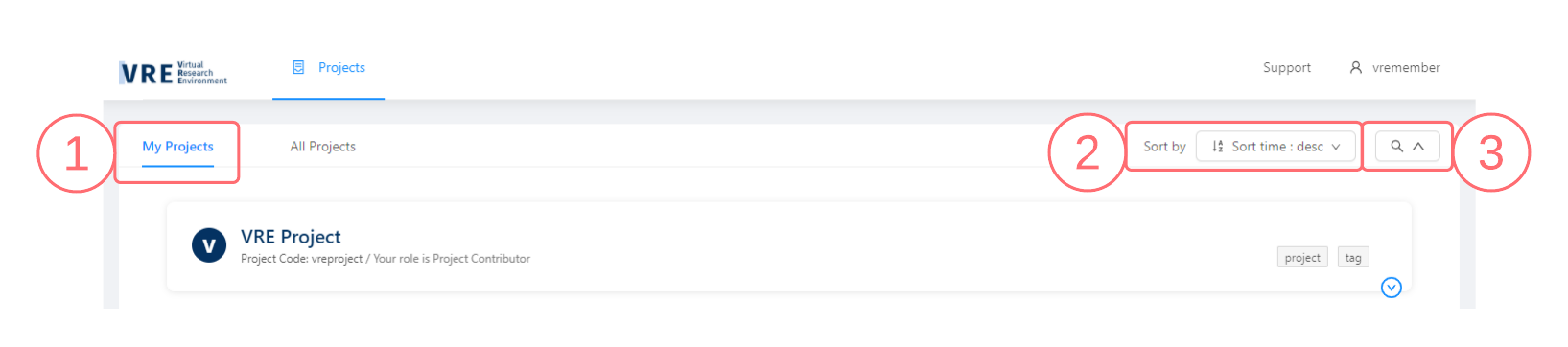
- The My Projects tab displays a list of the Projects to which you have been given access along with some basic information about the Projects. The All Projects tab, to the right, displays all Projects registered in the VRE. The VRE allows the discovery and browsing of basic information for all Projects, however, you can only access the Projects to which you have been explicitly granted access.
- Click the Sort by dropdown to order the Projects by various sort criteria.
- Open the Search Panel to search by Project attributes.
See Also:

Copyright © 2022, Indoc Research. This work is licensed under a Creative Commons Attribution-ShareAlike 4.0 International License.